
Quick Guide
- Wait for the BLADE FOCUS prompt during a Warrior attack.
- Press Space or click as the blade reaches the gold zone.
- Follow the current on-screen prompt if it differs.
For the Warrior’s BLADE FOCUS attack prompt on desktop, press Space or click to stop the blade in the gold zone. This is the confirmed attack input shown in the reviewed footage, not a complete keybind list.
On this page
Pixel Lineage controls for Blade Focus
The attack interface explicitly displays “Stop the blade in the gold zone! [SPACE / CLICK]”. The reviewed frame is at 1:13 in OyO’s beginner video. Use the prompt’s gold zone as the timing target; the screenshot does not establish a damage multiplier or a perfect-hit reward.
This input belongs to the Warrior prompt. The same tutorial shows that other class attacks can use different mini-games, so do not assume this is the input for every class.
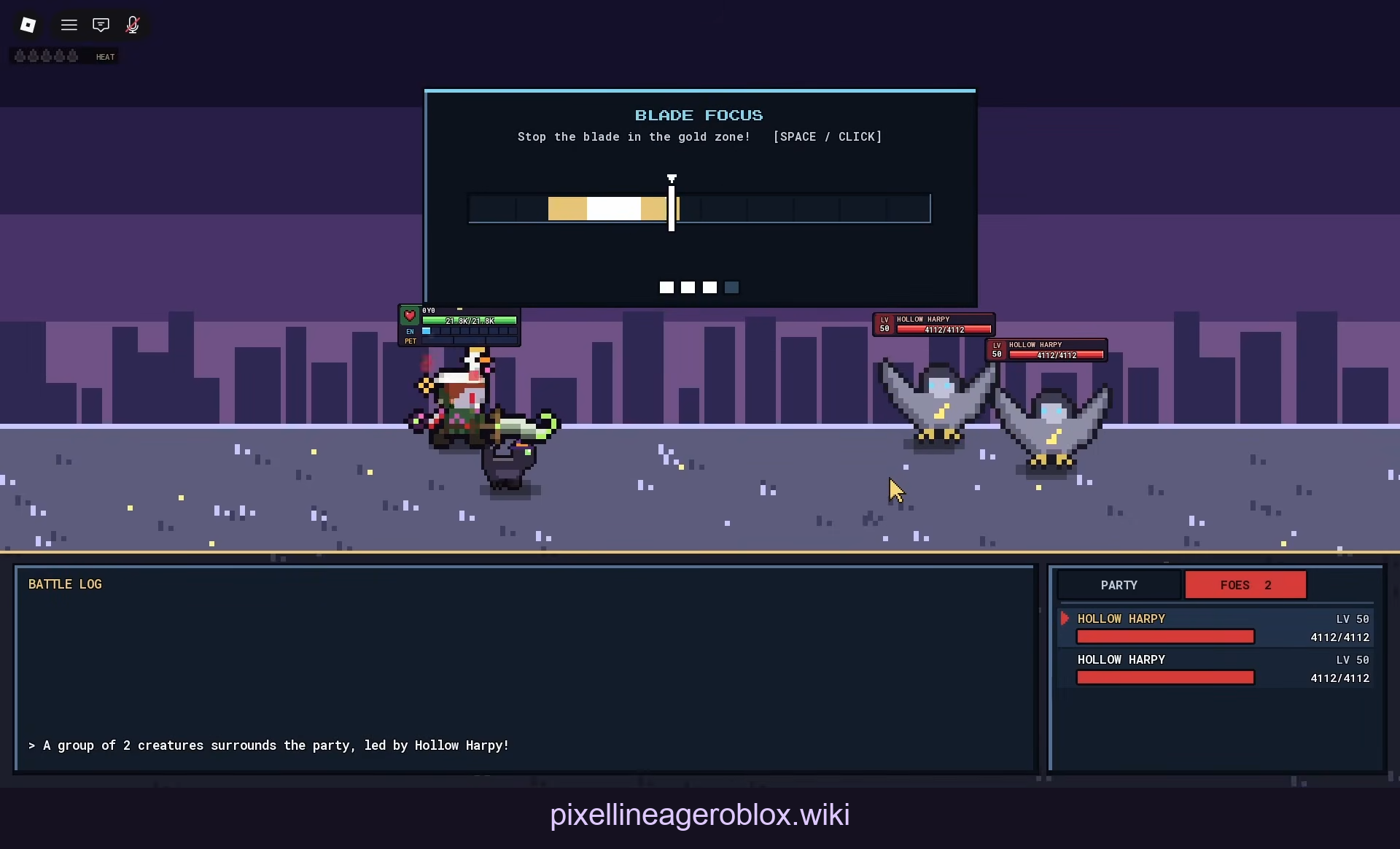
The English on-screen instruction names Space / Click and the gold zone. Creator overlay is retained.
Open full-resolution image · OyO · Source / open if playback failsPractice the visible input
Enter a Warrior fight and wait until the attack mini-game is visible. Watch the blade’s position, then use one of the displayed inputs. Check whether the bar stops or the attack proceeds before trying again.
The intended target is the gold zone. A still frame confirms the instruction and available inputs, but cannot measure input latency or prove the outcome of a specific keypress.
If the input does not respond
First click inside the game window so it has focus, then try the displayed Space input during the prompt. This is a general desktop input check, not a verified fix for a Pixel Lineage bug. Record whether the prompt was visible and what happened after the input.
Controller buttons, mobile equivalents and rebinding options are not verified here. Use the prompt displayed on your device rather than copying an unsupported keybind table.
Source and platform scope
The cited video was uploaded in October 2026. The actual game build is unknown. This page covers the desktop Warrior timing prompt observed in that footage; it does not certify all current controls.
Sources
Reviewed: